Extracting colors for 10K+ lip shades
30,000 people asked me for a lip shade matcher so I did it. But extracting accurate colors is harder than it looks!
February 18, 2026
Last January I launched a pretty simple website called nailpolishfinder.com As the name suggests, it gives you a color picker and returns all the closest nail polish shades available on Amazon. After launching, I posted about it on Reddit and made some Tiktoks that went pretty viral.
Before I knew it I had accumulated 10,000 followers and started getting a lot of requests:
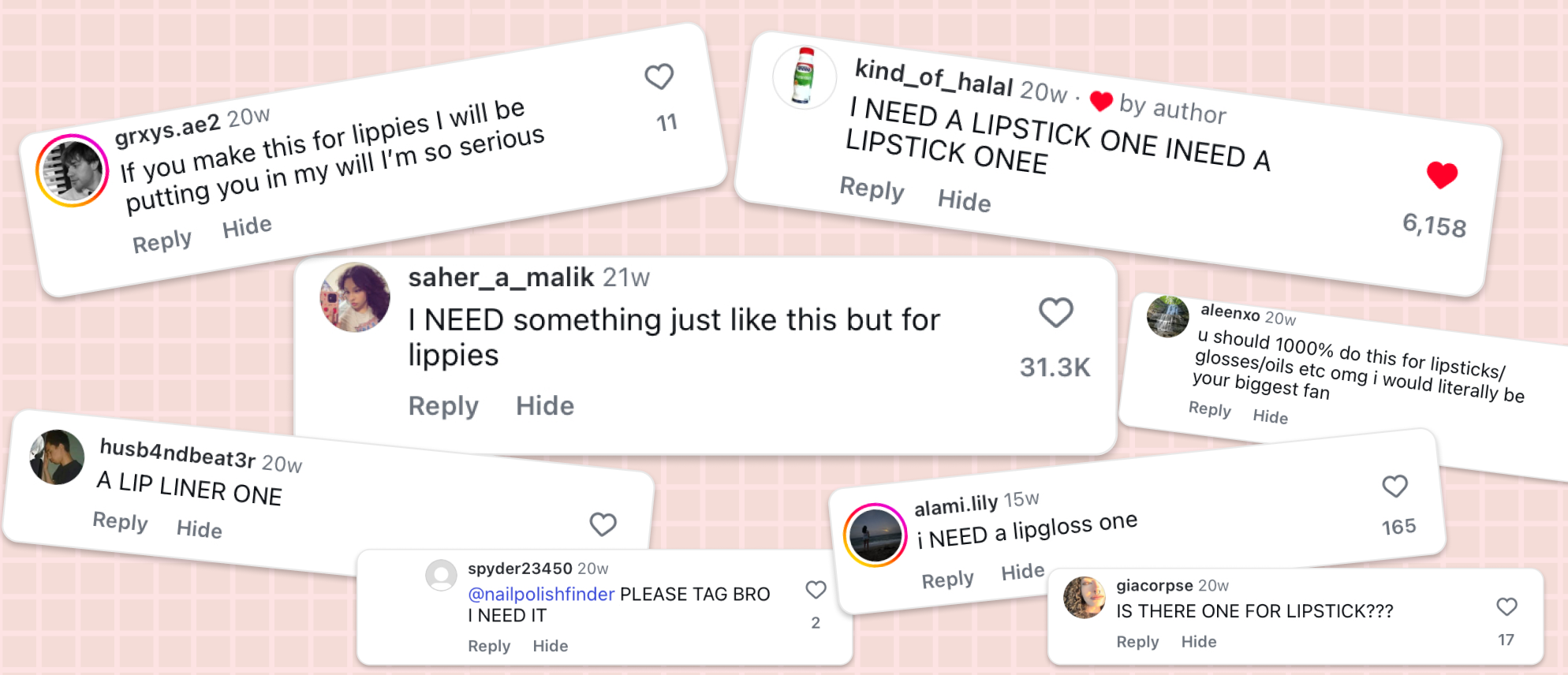
Given 30,000 people liked the top comment, I figured I should probably build a way of searching for lip products too.
What I'd like to discuss is how I went about getting accurate colors for each lipstick.
How can we extract the color of a lipstick?
Let's start by taking a look at what we're working with. For those of you not familiar with makeup product listings, they normally look something like this:
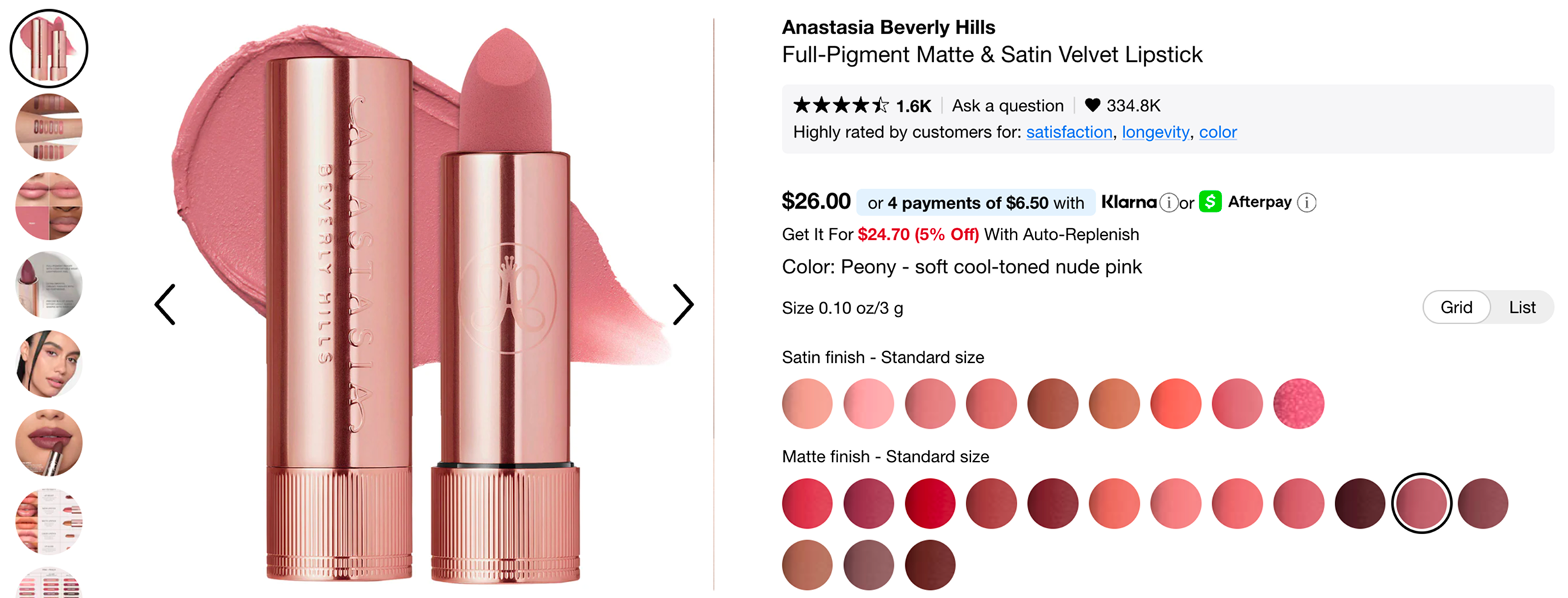
For every shade variation of the product, you have these tiny 36x36 swatch images showing you the color. Here are some swatches blown up:
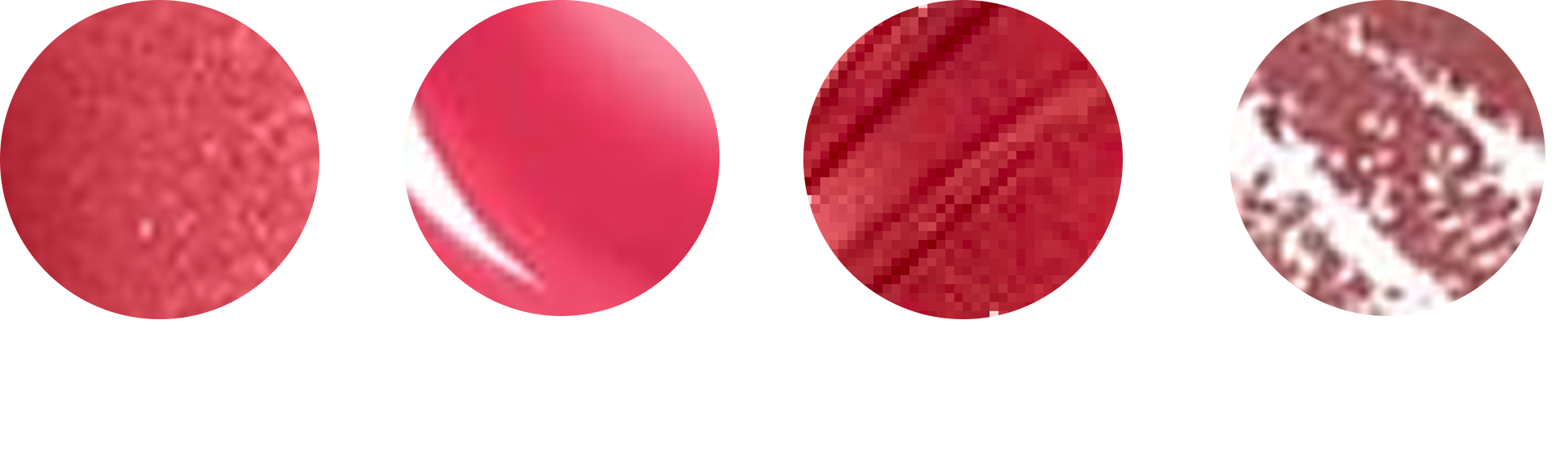
As you may already be able to tell, getting an 'accurate' color from these is not going to be as easy as computing an average over the pixels. Lip products come in different finishes (matte, satin, shimmer, gloss) and each one comes with its own issues.
Shimmer finishes tend to be full of reflective specks that completely throw off an average color computation. Lip glosses have a similar issue as they have large white specular highlights cutting across them. Other swatches have visible streaks running through them, which introduce darker and lighter bands. And then there are lip liners, where the product is drawn over a white background, so you’re not even averaging pure pigment anymore.
So how do we make a general-purpose color extractor which takes all these images as input and outputs a hex code representative of that shade?
There are basically three steps:
- Get rid of any background
- Mask pixels that clearly aren’t pigment (glitter, highlights, etc)
- Use K-means clustering to decide what the “real” color is
Step 1 - Get rid of any background
As we saw above, some swatches show the product sitting on a background. So before doing anything else, I run a small heuristic to detect this case and remove the background entirely:
- Is there a high proportion of very light, low-saturation pixels?
- Are there strong edges that suggest a shape sitting on a background?
- Is overall color variance unusually low?
In code, the core of it looks like this:
gray = cv2.cvtColor(img, cv2.COLOR_RGB2GRAY)
hsv  = cv2.cvtColor(img, cv2.COLOR_RGB2HSV)

edge_ratio  = (cv2.Canny(gray, 50, 150) > 0).mean()
light_ratio = ((hsv[:,:,1] < 30) & (hsv[:,:,2] > 200)).mean()
color_std   = np.std(img.reshape(-1, 3), axis=0).mean()

if (edge_ratio > 0.02 and light_ratio > 0.3) \
   or (color_std < 25 and light_ratio > 0.6):
    has_background = True
else:
    has_background = False
Step 2 - Mask pixels that aren’t pigment
The goal here isn't perfect segmentation, but just to remove pixels that obviously aren’t representing pigment. I ended up building this as three separate masks and then combining them into one final “keep/discard” mask.
Glitter Mask
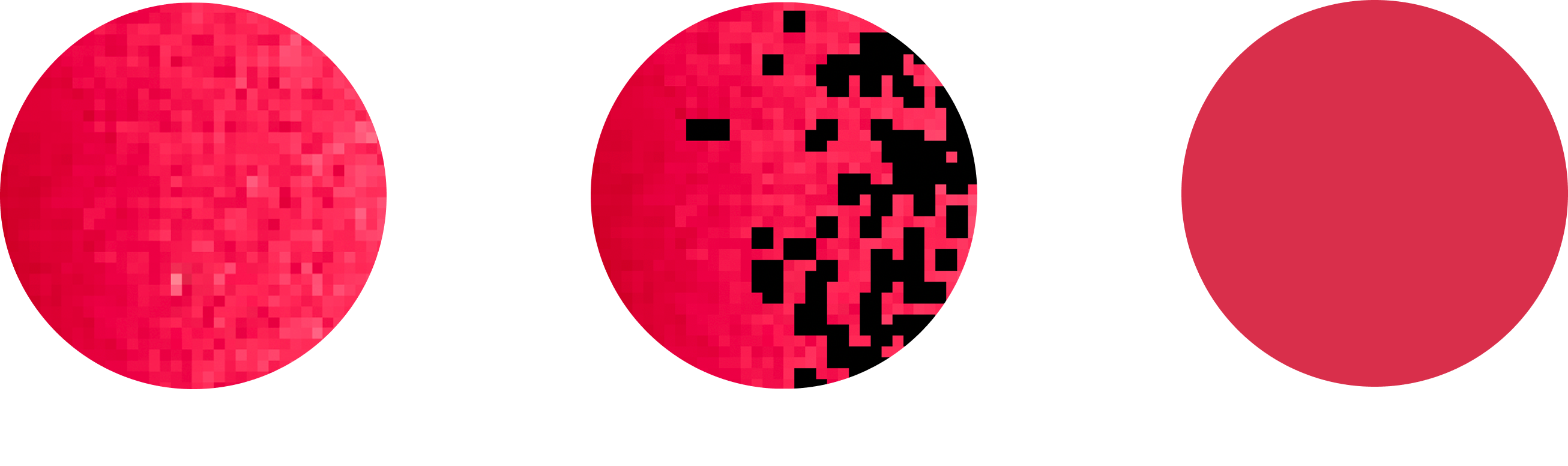
To catch glitter, I convert to HSV and get rid of pixels that are either extremely bright, or have suspiciously low saturation (aka sparkly pixels which are white/grey highlights).
hsv = cv2.cvtColor(img, cv2.COLOR_RGB2HSV_FULL)
glare   = hsv[:,:,2] > 230
low_sat = hsv[:,:,1] < 40
glitter_mask = glare | low_sat
Specular Mask
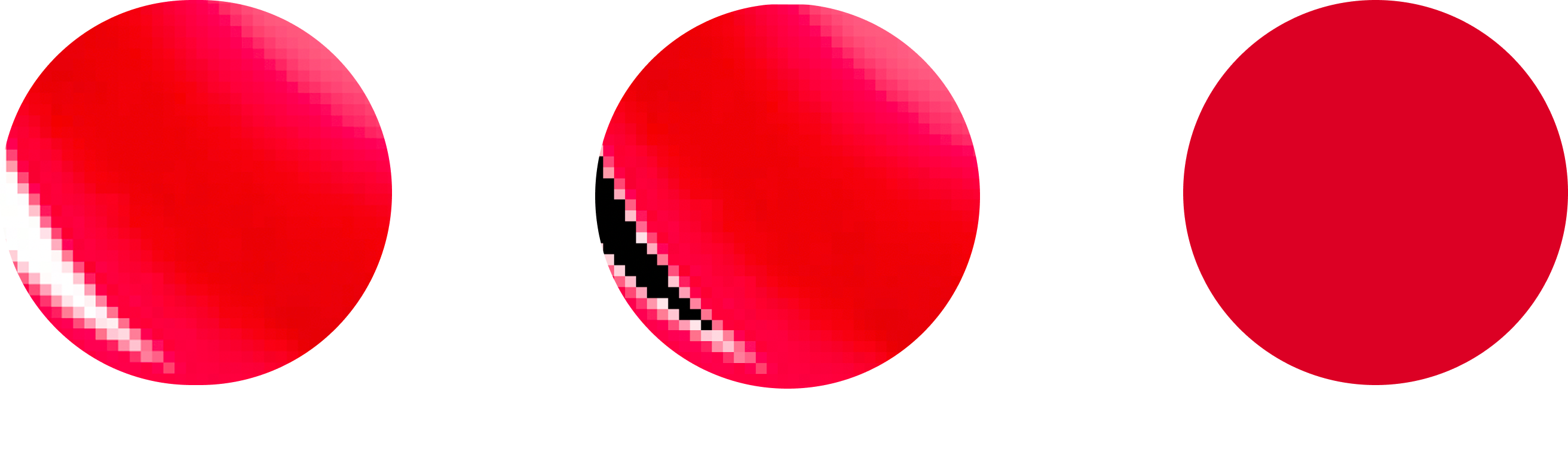
Specular highlights tend to be huge and close to pure white. HSV thresholding catches some of them, but I found it more reliable to detect highlights relative to their local neighbourhood.
So I switch to Lab, take the lightness channel (L*), compute a local median blur, and look for pixels that are significantly brighter than the local median. That gives me highlight “seeds”, and then I dilate slightly so I’m not leaving too many bright edges behind.
lab  = cv2.cvtColor(img, cv2.COLOR_RGB2LAB)
L    = lab[:,:,0].astype(np.float32) / 255.0
med  = cv2.medianBlur((L*255).astype(np.uint8), 7) / 255.0

seed = (L - med) > 0.18
specular_mask = cv2.dilate(seed.astype(np.uint8), np.ones((3,3),np.uint8), 3).astype(bool)
Streak Mask
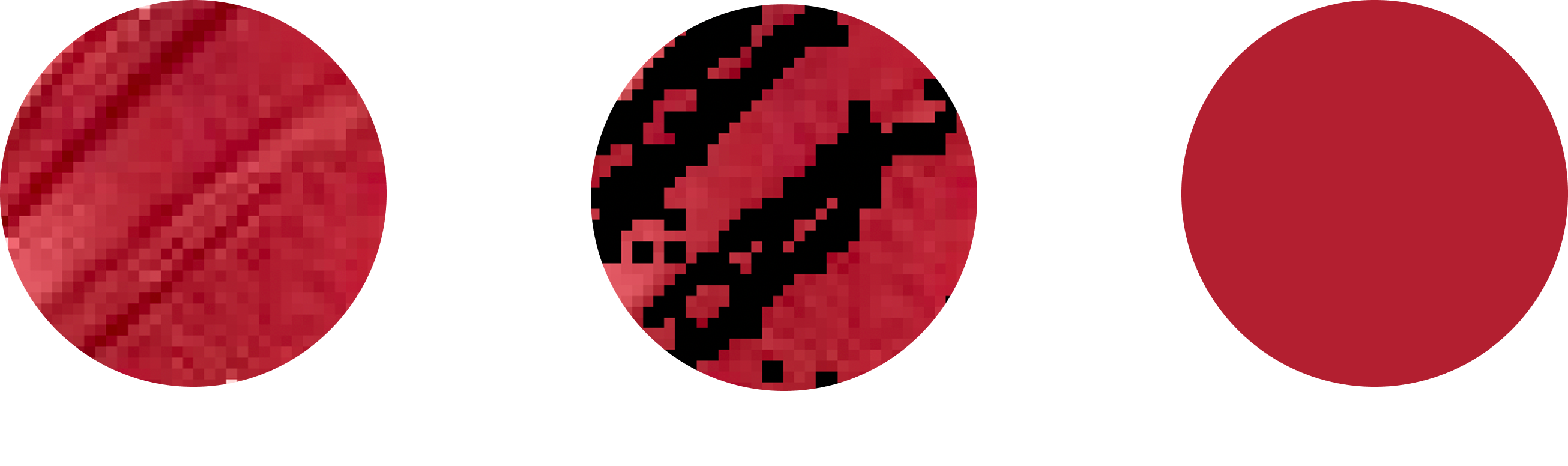
Some swatches have visible streaks running through them. I remove these pixels so clustering isn’t pulled in that direction. This is the same idea as the specular detection, but instead of just checking it's brighter than the local median we check if it's different from local median in either direction.
lab_full   = cv2.cvtColor(img, cv2.COLOR_RGB2LAB)
L_full     = lab_full[:,:,0].astype(np.float32) / 255.0
local_med  = cv2.medianBlur((L_full * 255).astype(np.uint8), 7) / 255.0

streak_seed = np.abs(L_full - local_med) > 0.05
streak_mask = cv2.dilate(streak_seed.astype(np.uint8), np.ones((2,2), np.uint8), 1).astype(bool)
Combine into one mask
At the end, I just invert each of these and AND them together:
final_mask = ~glitter_mask & ~specular_mask & ~streak_maskAt this point the remaining pixels aren’t perfect, but they’re mostly pigment, which is all I need for the next step.
Step 3: Don’t average, cluster
Even after masking, the remaining pixels won't be uniform, so if you average them directly, darker regions still pull the result down. Instead, I cluster the remaining pixels using K-means. I cluster in Lab color space, not RGB, as Lab is perceptually closer to how humans see color differences. I ended up using k=3, which is enough to separate the base pigments from the lighter regions/leftover artifacts.
lab_pixels = cv2.cvtColor(img, cv2.COLOR_RGB2LAB)[final_mask]
km = MiniBatchKMeans(n_clusters=3).fit(lab_pixels)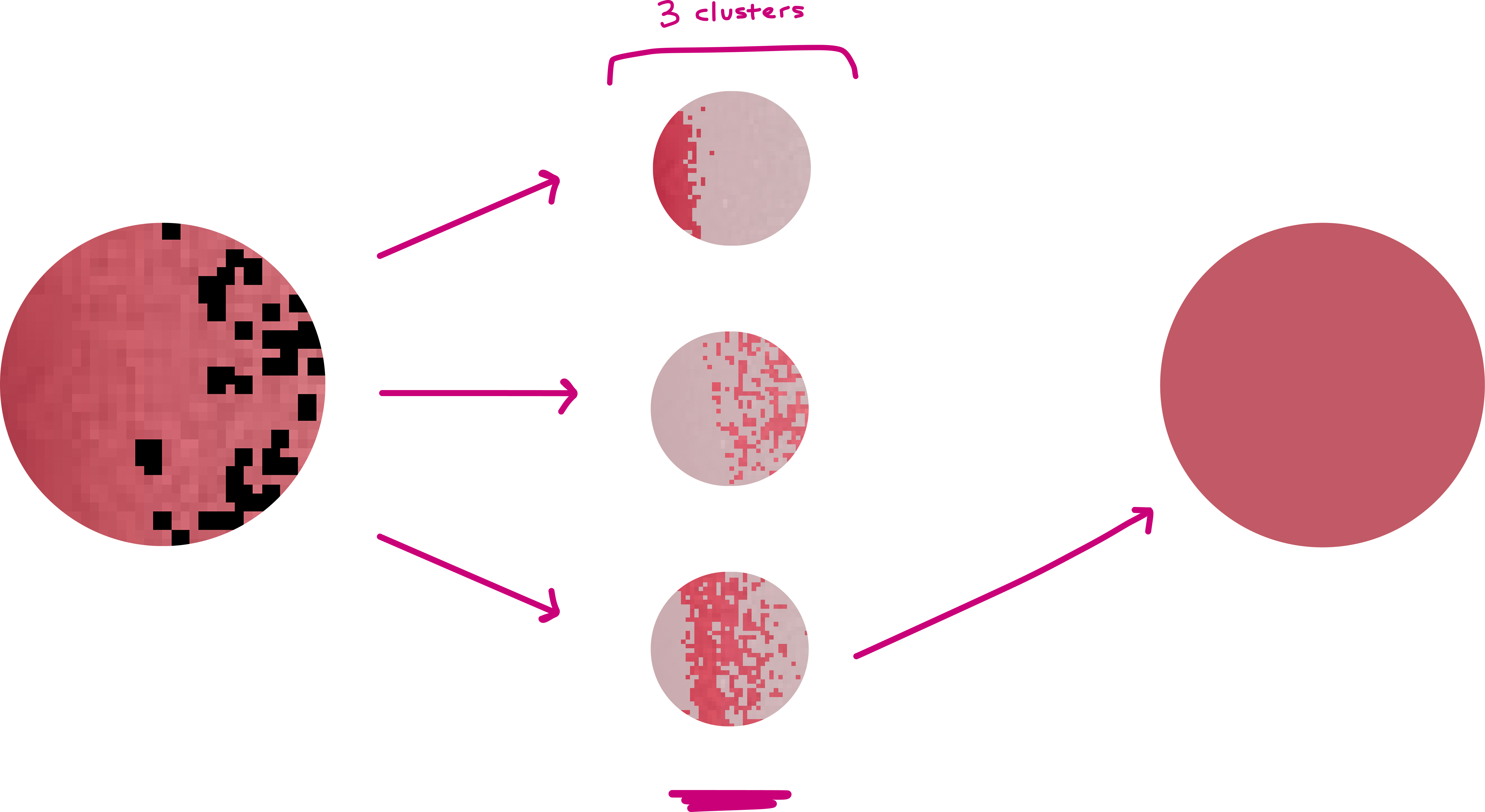
K-means gives you a few candidate colors, but you need to pick one. Normally you can pick the largest cluster, but I include a sanity check to ignore clusters that are extremely dark or extremely bright, which prevents selecting glare clusters or shadow clusters.
What’s left is usually the cluster that actually represents the lipstick!
10,000 Shades later...
Next step is just to bulk run this on all the 36x36 swatches I've downloaded from product catalogs. As you can see above, it's pretty satisfying to watch! Using this method I extracted shades for 10,201 products in total (yes, there are that many shades of lipstick!)
That's pretty much it insofar as building a database of lipstick shades!